This guide is for people starting a personal, portfolio, business, publication, or online-store website, primarily using U.S. pricing. It compares six practical ways to publish a site, explains their trade-offs, and provides a launch process. It does not cover custom web-application development.
For most first-time website owners, we recommend Wix. You can build a site without coding, test the editor on a free plan, and upgrade when you need your own domain. Wix Light is listed at $17 per month when billed annually. The free plan uses Wix branding and a Wix address, and a Wix-built site cannot simply be moved to another web host. If long-term control matters more than convenience, choose self-hosted WordPress.org instead.
Choose Squarespace for a design-led portfolio or service business, Shopify if selling products is the website's central job, Carrd for an inexpensive single-page site, and Webflow if detailed visual-design control is worth learning a more advanced editor.
The Best Website Platforms at a Glance
| Rank | Platform | Best for | U.S. starting price | What to know before choosing |
|---|---|---|---|---|
| 1 | Wix | Most first-time site owners | Free branded plan; Light $17/month equivalent, billed annually | Easy all-in-one setup; the finished site must run on Wix |
| 2 | Squarespace | Portfolios and polished service-business sites | Basic $19/month equivalent, billed annually | Attractive templates; 14-day trial rather than a permanent free plan |
| 3 | Self-hosted WordPress.org | Blogs, publications, and long-term flexibility | WordPress software free; hosting and domain cost extra | More control, but ongoing maintenance belongs to the owner or host |
| 4 | Shopify | Serious online stores | Basic $29/month equivalent, billed annually | Commerce-first; payment processing and apps can add costs |
| 5 | Carrd | Single-page sites and very small budgets | Free basic option; Pro Standard $19/year | Excellent for one page, not a conventional multipage publication |
| 6 | Webflow | Design-driven sites and professional designers | Basic $15/month; Premium with CMS $25/month (both billed annually) | More control and a steeper learning curve; Site and Workspace costs are distinct |
Price basis: U.S. public prices were checked on the fact-check date above. Monthly equivalents on annual plans are not month-to-month prices. Shopify Basic is $39 when paid monthly, Webflow Basic is $25, Wix Light is $24, and Squarespace Basic is $25. Taxes, domains after any introductory benefit, email, paid apps, and payment fees can increase the total. Plan prices may change at renewal; do not assume today's rate is contractually guaranteed for future terms.
Which Option Should You Choose?
| If you are starting... | Recommended option | Reason |
|---|---|---|
| Your first small-business website | Wix Light | Hosting, templates, and editing in one place |
| A photography, design, or consulting portfolio | Squarespace Basic | A strong design-first starting point |
| A blog or substantial informational website | Self-hosted WordPress.org | Flexible publishing, themes, plugins, and control of hosting |
| An online store with products, inventory, and checkout | Shopify Basic | Built around orders, payment, and selling workflows |
| A résumé, link-in-bio, or one-page landing site | Carrd Pro Standard | Own-domain publishing at a low annual platform cost |
| A highly customized marketing website | Webflow | Advanced visual layouts and content-management options |
| A free starter website | Wix free or Carrd free | Publish on a platform address without paying |
| A site that may move between hosting providers | Self-hosted WordPress.org | The open-source application can run on compatible third-party hosts |
| A growing design agency's client project | Webflow, if the team knows it | Useful design and collaboration tooling; verify seat costs |
| A business with complex security or compliance requirements | No automatic winner | Conduct a requirements-led security, legal, and vendor review first |
How We Researched and Ranked the Options
We compared published features, prices, restrictions, and likely suitability for different website projects. The ranking reflects our editorial judgment. We did not create live accounts on all six platforms, run controlled speed benchmarks, test customer support, or independently audit uptime and security. We therefore make no first-hand claims about site speed, reliability, conversion rate, or support quality.
We used platform documentation for pricing, plan features, hosting models, and restrictions; WordPress.org for self-hosted requirements; ICANN for domain registration; and Google and W3C for launch practices. Independent hands-on reviews informed our assessment of usability, although their findings may not match every reader's experience.
The criteria behind our rankings
- Ease of getting online: How much setup and technical work a beginner must manage.
- Fit for the primary job: Publishing information, presenting a business, collecting leads, or selling products.
- Total ongoing cost: Subscription term, domain renewal, commerce fees, apps, and maintenance.
- Control and portability: How readily you can change design, functionality, or hosting later.
- Content and growth: Practical support for additional pages, blog posts, products, or integrations.
- Operating burden: Who must handle updates, backups, security settings, and troubleshooting.
We did not assign numerical scores. The ranking prioritizes a typical new website owner's needs. A store owner should put Shopify above our general-purpose picks, while a developer or serious publisher may prefer WordPress from day one.
What independent reviewers found
TechRadar's 2026 small-business website-builder comparison places Wix first for general small-business use and selects Shopify for online stores. Tom's Guide's hands-on comparison also names Wix its general-purpose pick and highlights Squarespace for design. Their conclusions support some of our choices, but neither review guarantees the same result for every project.
How to Start a Website: 10 Steps
1. Decide what the website must accomplish
Write a one-sentence purpose before choosing software: "Help local customers request estimates," "Show my work and receive inquiries," "Publish articles on a subject," or "Sell physical products." Then define the main visitor action: call, book, subscribe, buy, read, or contact.
A service business usually needs a clear offer and contact route more urgently than a complicated blog. An online store needs product organization, checkout, payments, shipping, and returns. A publication needs navigation and a practical way to maintain many articles. The website's job should drive the platform decision.
2. Set a first-year budget, not just a monthly target
Separate platform or hosting, domain, business email, optional templates/plugins/apps, payment processing, and help from professionals. Compare the annual total you actually pay at checkout, then check what renews in year two.
At the published annual rates, Wix Light costs $204 per year, Squarespace Basic costs $228, Shopify Basic costs $348, and Webflow Basic costs $180. These are platform-only calculations, not complete quotes for operating a business. Carrd Pro Standard is listed at $19 per year. Hosting for self-hosted WordPress.org depends on the provider and plan, so there is no universal WordPress total.
3. Choose a domain name and keep control of it
Select a short, memorable name that you can say aloud without spelling out punctuation. Check availability, obvious trademark conflicts, and how the name looks in email. Do not assume that a domain offered "free for one year" remains free later.
Domain registration is for a defined term, commonly one to ten years, rather than permanent ownership. ICANN advises registrants to understand renewal terms, keep contact details current, and renew before expiration. Keeping domain registration and access under your own account can prevent difficult handovers later.
4. Pick the platform that matches the job
Use a hosted builder such as Wix or Squarespace if you want software, editing, and hosting managed together. Use Shopify for a commerce-centered operation. Use Carrd for a single page. Use Webflow when layout flexibility is worth a steeper learning curve. Choose self-hosted WordPress.org when control, publishing scale, or extensibility matters more than minimal setup.
Before paying annually, create a trial or draft if available and complete one realistic task: build a page, change a mobile layout, upload images, create a contact form, or add a sample product. This small exercise reveals more about fit than a feature checklist alone.
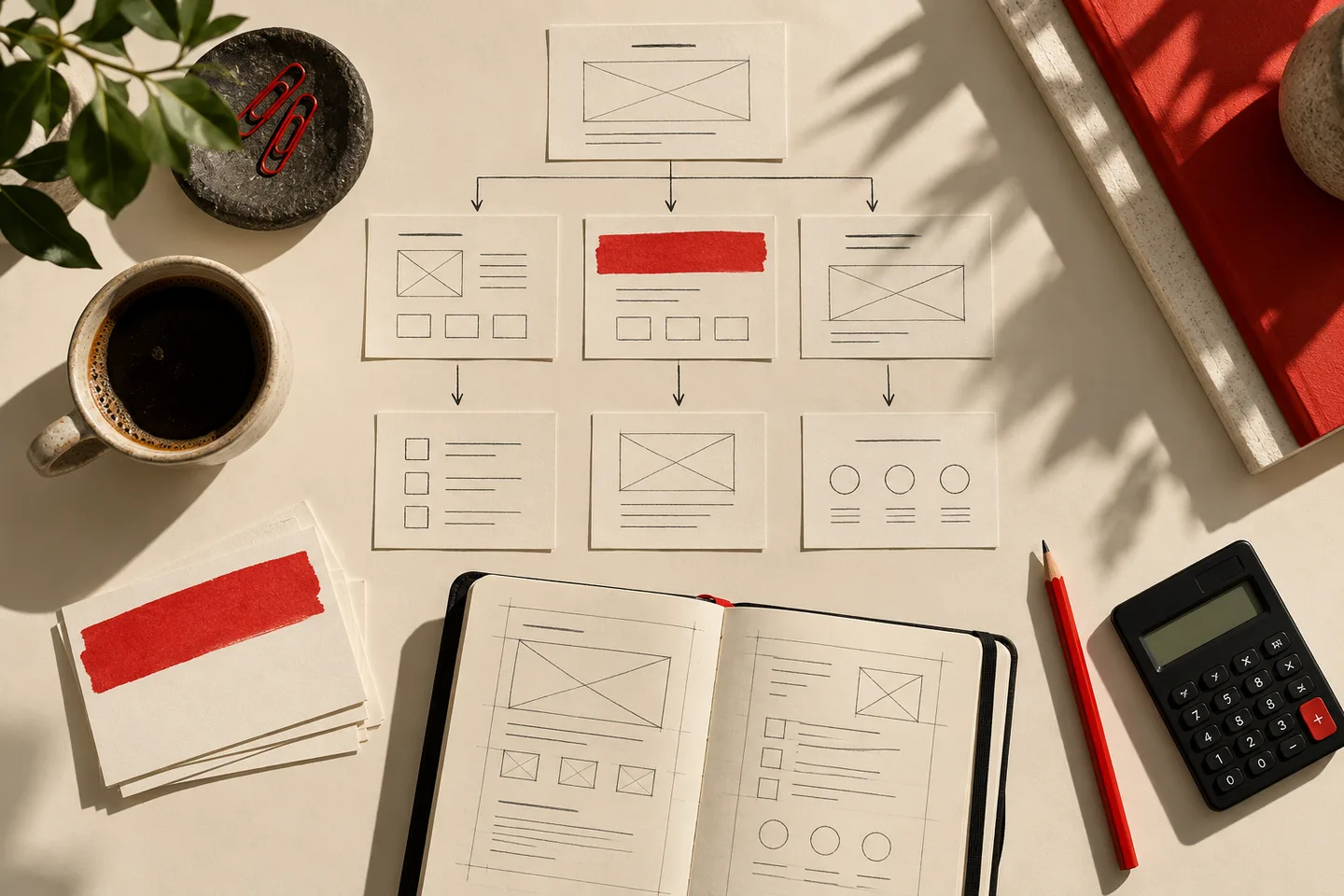
5. Map the essential pages
For a typical service-business website, our suggested starting structure is:
- Home: Who you help, what you offer, and the next action.
- Services or Products: Specific offers, prices or quote process, and meaningful details.
- About: Who is behind the business and why a visitor should trust it.
- Contact: A reliable form, email, phone, or booking route.
- Policies: Privacy, terms, returns, or other notices as applicable to your location and business activity.
A portfolio may substitute Work or Projects for Services. A blog needs organized article categories. A store also needs product, cart, checkout, shipping, and returns flows. Publish a coherent small site before creating dozens of nearly empty pages.
6. Build the first pages and write for real visitors
Start from a suitable template. Use consistent headings, a readable font, clear contrast, useful photographs, and one main call to action per page. Lead with the service or information, not a generic welcome message. Each page should answer a real question and help the reader take a next step.
Use AI drafting and visual tools as starting aids, not proof that facts, prices, testimonials, business credentials, or claims are correct. Verify every factual statement and obtain permission for any images or other materials you did not create.
7. Connect your domain and configure basic operations
Follow the platform's domain or DNS instructions and verify that the preferred address works over HTTPS. If you use self-hosted WordPress.org, choose hosting that meets current recommended PHP, database, and HTTPS requirements. Set up website administrator accounts with unique passwords and multifactor authentication where available. Decide who will receive form submissions, order notices, and renewal messages.
Do not confuse a domain name, website hosting, and business email. A builder may include hosting and offer a first-year domain promotion while charging separately for professional email. Confirm each item at checkout.
8. Check accessibility, performance, and security
Test the site on a phone as well as a computer. Navigate menus and forms with a keyboard, provide useful alternative text for informative images, use meaningful link labels, and add captions or transcripts where needed. W3C's accessibility guidance specifically emphasizes text alternatives, keyboard access, and understandable navigation.
Compress oversized images, avoid unnecessary animations and third-party scripts, and review loading behavior on a slower connection. For self-hosted WordPress.org, set a backup and update process for the software, plugins, and themes; WordPress's own security guidance stresses timely updates.
9. Test the actual visitor journey before publishing
Open every important page and link. Submit the contact form and confirm the message arrives. Test the site on multiple screen widths. Check that the page title, business name, contact information, and primary call to action are accurate.
For an online store, go further: Shopify's launch documentation recommends test orders to check checkout, inventory, order handling, shipping, and taxes. Test successful and failed transactions where the platform supports a test mode, then ensure live payments are enabled before launch.
10. Publish, make the site discoverable, and maintain it
Remove any unintended password or "coming soon" barrier, verify the public URL, and connect the site to Google Search Console if search visibility matters. Check whether the platform generates a sitemap and submit it where useful. Google's documentation is explicit that a submitted sitemap is a discovery hint, not a guarantee of indexing or rankings.
After launch, revisit broken links, inquiries, subscriptions, content freshness, software updates, domain renewals, and performance. A website is ready to launch when its essential functions work, not when every possible page exists.
Six Website Platforms Compared
1. Wix - Best Overall for Beginners
Wix is our choice for most first-time owners starting a general business or personal website. Its hosted editor, templates, free starting tier, and paid plans remove much of the setup work that comes with selecting separate hosting and installing a content-management system. Wix Light lists 2 GB of storage, a custom-domain option, and two site collaborators. The crucial limitation is portability: Wix confirms that a site built with its proprietary technology must operate on Wix's hosting.
Wix at a glance
- Type: Hosted visual website builder.
- Entry plan: Free with Wix branding and platform address.
- Paid starting point: Light, $17/month equivalent on an annual subscription; $24 month-to-month as described in Wix's pricing guide.
- Hosting: Included.
- Custom domain: Paid plan required; eligible annual plans advertise the domain free for the first year.
- Online payments: Core or a higher compatible plan, rather than Light.
- Maintenance: Wix operates the hosted platform; the owner maintains content, settings, and account access.
- Portability: Wix-built site cannot be moved intact to third-party hosting.
Why it ranks first: Wix balances ease of launch, editing freedom, and small-business features for someone who does not yet know whether the site will remain a simple brochure or add bookings and sales. Independent comparisons also favor Wix for general use. Its advantage is convenience, not unrestricted control over the underlying website system.
Best for: First websites, local service businesses, solo professionals, personal sites, and owners who prefer managed setup.
Limitations: The free tier uses Wix branding and a platform address. Paid plans can become more expensive when commerce features or extra tools are needed. Wix hosting lock-in makes later platform changes a rebuild or migration project, not a simple hosting switch. Current prices and domain promotions can change at renewal.
Our verdict: Choose Wix if getting a useful website published with minimum technical administration is your priority. Do not choose it if moving the complete site between hosts is a core requirement.
2. Squarespace - Best for Portfolios and Design-Led Businesses
Squarespace is our choice for a visual portfolio, professional practice, or small service business where design consistency matters more than extensive custom engineering. It combines templates, a visual editor, hosted infrastructure, and business features. Its U.S. Basic plan starts at $19 per month equivalent when paid annually, or $25 when paid month-to-month; it offers a 14-day trial rather than a permanent free plan.
Squarespace at a glance
- Type: Hosted visual website builder.
- Entry plan: Basic; 14-day free trial.
- Paid starting point: $19/month equivalent with annual billing; $25 month-to-month.
- Hosting: Included in the site subscription.
- Custom domain: Eligible annual website subscriptions include a first-year domain offer; future domain renewals are charged at standard rates.
- Online payments: Available, with plan-dependent commerce and payment fees.
- Maintenance: Hosted platform upkeep is managed; owners still maintain content and business settings.
- Portability: Plan for a rebuild or compatibility review when moving to a different builder.
Why it ranks second: Squarespace is particularly suitable when the work, services, or brand presentation are the main product. Its templates help maintain visual consistency without an experienced designer. Wix ranks ahead for general-purpose beginners because it offers broader flexibility and a free starting tier.
Best for: Portfolios, photographers, consultants, appointment-led services, and polished small-business sites.
Limitations: There is no permanent free website plan in the pricing checked. E-commerce fees and functionality depend on the subscription tier and payment method. Moving away from a proprietary builder may require rebuilding layouts and integrations. The domain benefit is limited to the eligible first year.
Our verdict: Choose Squarespace when presentation and a cohesive visual identity outweigh the need for deep customization. Choose WordPress or Webflow if you expect unusually complex design or publishing requirements.
3. Self-Hosted WordPress.org - Best for Content Growth and Control
Self-hosted WordPress.org is our choice for a blog, publication, or content-heavy website whose owner wants long-term hosting flexibility. WordPress is free, open-source software with themes, plugins, and extensible content tools. Unlike an all-in-one builder, it needs compatible hosting and ongoing administration. WordPress.org recommends hosts with current PHP, MariaDB or MySQL, and HTTPS support. The software license is free; the finished website is not necessarily free to operate.
WordPress.org at a glance
- Type: Open-source content-management software installed on hosting you select.
- Entry plan: No WordPress.org software subscription.
- Paid starting point: No universal price; hosting, domain, and optional themes or plugins vary by vendor.
- Hosting: Purchased or provided separately; managed WordPress hosting is an option.
- Custom domain: Obtain through a registrar or eligible hosting package.
- Online payments: Require an appropriate commerce solution and payment setup.
- Maintenance: Updates, backups, access controls, and compatibility must be assigned to the owner, administrator, or managed host.
- Portability: WordPress can be installed on other compatible hosts, although migrations still involve files, data, DNS, and testing.
Why it ranks third: Content and hosting flexibility can matter more over a site's lifetime than a slightly faster first-day launch. WordPress ranks behind Wix and Squarespace for a typical beginner because maintenance responsibility is real. Its own guidance emphasizes updates to core, plugins, and themes as a basic security practice.
Best for: Blogs, guides, editorial publications, content-rich businesses, developers, and organizations that need hosting choice.
Limitations: Quality and cost depend heavily on the selected host and third-party components. Plugins can introduce maintenance and compatibility work. The system is not automatically a managed service, and security or backup quality should not be assumed without checking the hosting contract.
Our verdict: Choose self-hosted WordPress.org when publishing depth, extensibility, and the ability to change hosts matter. Do not choose it solely because the software is free if you cannot maintain it or pay someone to do so.
4. Shopify - Best for Online Stores
Shopify is our choice when the website's main purpose is selling products. Shopify Basic includes a full online store and tools for products, checkout, and order management. In the United States, the public Basic price is $29 per month equivalent when paid annually, versus $39 when paid monthly. Payment-processing charges and possible third-party transaction fees can add to the subscription cost.
Shopify at a glance
- Type: Hosted commerce platform and website builder.
- Entry plan: Basic for a conventional full online store.
- Paid starting point: $29/month equivalent annually; $39 month-to-month.
- Hosting: Included for the online store.
- Custom domain: Can be connected or purchased separately; confirm any domain charges.
- Online payments: Core feature, subject to supported providers, local availability, and relevant fees.
- Maintenance: Shopify maintains the hosted platform; merchants own product, fulfillment, policy, and business configuration work.
- Portability: Product data may be transferable, but a complete storefront design and app workflow should not be assumed portable.
Why it ranks fourth overall but first for stores: Shopify's specialization is an advantage when visitors need to browse products, pay, and receive orders, but unnecessary for a simple informational site. Shopify would rank above Wix for a merchant building a serious product catalog.
Best for: Product businesses, merchants managing inventory, and teams that expect repeat orders or multiple sales channels.
Limitations: Transaction and processing costs can be material; paid apps and themes may add charges. Plan features, staff access, and payment-provider terms vary. A simple consultant's site usually does not need a store-first system.
Our verdict: Choose Shopify when the online store is the business, not an occasional extra page. Do not pay for commerce infrastructure merely to publish a brochure site.
5. Carrd - Best Budget Option for One-Page Websites
Carrd is our budget pick for a one-page website that needs a clear message, links, and perhaps a contact form. Carrd builds responsive one-page sites. Its Pro Standard plan is listed at $19 per year and supports custom-domain URLs, forms, embeds, and removal of Carrd branding. The domain itself is separate from that platform price.
Carrd at a glance
- Type: Hosted one-page website builder.
- Entry plan: Free basic plan.
- Paid starting point: Pro Standard, $19/year.
- Hosting: Included in Carrd publishing.
- Custom domain: Available with a compatible paid Pro plan; acquire the domain separately.
- Online payments: Not a replacement for a full catalog, inventory, and order-management platform.
- Maintenance: Carrd manages the platform; owner manages content and external services.
- Portability: Pro Plus advertises a site-download option; check whether your chosen features remain functional outside Carrd.
Why it ranks fifth: For one page, paying for a full multipage platform may be unnecessary. Carrd costs relatively little for an eligible custom-domain site, but its one-page structure is a real limitation for bigger projects.
Best for: Résumés, event signups, link hubs, validation pages, personal profiles, and small campaigns.
Limitations: Carrd is not our pick for an extensive blog, large website, or feature-rich online shop. Custom domains require the applicable Pro plan, and third-party form, email, or payment services can introduce their own costs.
Our verdict: Choose Carrd when one excellent page will do the job. Do not choose it for a content library or store that is already clearly multipage.
6. Webflow - Best for Design Control
Webflow is our choice for designers and technically comfortable teams that want detailed visual control without writing an entire frontend from scratch. Its U.S. Basic Site plan is $15 per month equivalent when billed annually and is intended for sites that do not require a content-management system. Its newer Premium plan is $25 per month equivalent on annual billing and includes content-management capacity. Webflow revised the Site lineup in 2026, so older comparisons that recommend separate CMS and Business plans may be out of date.
Webflow at a glance
- Type: Hosted visual development and publishing platform.
- Entry plan: Free Starter for testing on a Webflow subdomain.
- Paid starting point: Basic, $15/month equivalent annually or $25 month-to-month; Premium with CMS, $25/month equivalent annually or $39 month-to-month.
- Hosting: A paid Site plan covers publishing to the site's custom domain.
- Custom domain: Included as a connection feature on suitable paid Site plans; domain registration is separate.
- Online payments: Separate e-commerce plans exist; evaluate them against dedicated store platforms.
- Maintenance: Webflow manages hosted infrastructure, while the owner manages design, content, and integrations.
- Portability: Confirm export and dynamic-content limits before committing; a visual project is not interchangeable with another builder.
- Additional cost consideration: Workspace plans, seats, and add-ons can matter for teams.
Why it ranks sixth for beginners: Webflow is better suited to someone familiar with responsive layout systems and content modeling. The learning curve is a drawback for anyone who simply needs a contact page. For a design studio, Webflow could reasonably rank first.
Best for: Designers, agencies, custom marketing sites, and brand teams with advanced layout needs.
Limitations: Basic lacks the CMS that a regularly updated publication may need. Collaboration and advanced options can add costs beyond the public per-site price. Its flexibility does not eliminate the need to learn the editor or manage content carefully.
Our verdict: Choose Webflow when customized visual presentation is the main reason to build the site. Do not choose it merely to get the simplest possible online business card.
Full Comparison: What You Control and What You Maintain
| Platform | Hosting arrangement | Good for many articles? | Full online-store priority? | Main responsibility | Main trade-off |
|---|---|---|---|---|---|
| Wix | Hosted by Wix | Suitable for basic to moderate publishing | Possible on a commerce-capable plan | Content, billing, configuration | Proprietary hosting |
| Squarespace | Hosted by Squarespace | Suitable for ordinary business blogging | Possible, plan-dependent | Content, billing, commerce settings | Less extensible than open-source hosting |
| WordPress.org | Host of your choice | Our preferred fit | Possible with added commerce tools | Updates, backups, hosting, plugins | More administration |
| Shopify | Hosted by Shopify | Secondary to selling | Our preferred fit | Products, orders, taxes, policies, apps | Commerce cost and complexity |
| Carrd | Hosted by Carrd | No, primarily one-page | No, not a full store system | Page and integrations | Single-page scope |
| Webflow | Hosted Site plan | Yes, with CMS-capable tier | Separate e-commerce option | Design, CMS, integrations, seats | Editor learning curve and layered pricing |
The table compares operating models, not independently measured performance or security.
Which Platform Fits Your Project?
What is the best website builder for a complete beginner?
Our pick is Wix for a general-purpose first website. You can learn the editor before subscribing, and paid plans combine the domain connection and hosting model in one service. The trade-off is that the resulting site depends on Wix infrastructure. If design presentation matters more, try Squarespace's 14-day trial alongside it.
What is the cheapest way to start a website with a custom domain?
Our pick for a single-page project is Carrd Pro Standard at $19 per year, plus a separately purchased domain. That is the lowest public paid platform starting cost among the six configurations compared here, but not proof of the lowest total cost in the entire market. Free builder plans are cheaper if a branded platform address is acceptable.
What is the best way to start a small-business website?
Our general small-business choice is Wix Light for an informational or lead-generation website. Upgrade only when the business actually needs online payments or bookings with features unavailable on Light. A portfolio-heavy business may be better served by Squarespace; an expanding informational publisher may be better served by WordPress.org.
What should a blogger or independent publication use?
Our choice is self-hosted WordPress.org if publishing will be the site's long-term activity. Its extensible content system and hosting choice suit a growing article library. Budget for management, backups, and plugin maintenance. Someone testing a casual personal blog may reasonably favor a simpler hosted builder instead.
What should someone use for an online store?
Our choice is Shopify Basic for a conventional product business. It is designed for checkout and order workflows, and Shopify documents how to test orders before going live. If the business only occasionally accepts a service payment, first compare the relevant Wix or Squarespace commerce plan instead of assuming it needs a dedicated store.
What is best for a portfolio or creative business?
Squarespace is our pick for most design-led portfolios. Its integrated templates and hosted editor can provide a polished starting point without a custom-development project. Webflow is the alternative when finer layout control matters more.
What is best for designers or agencies?
Our pick is Webflow when the team already has the necessary design skills. Check both Site and Workspace costs, content-management needs, and handoff requirements. For teams whose projects primarily involve long-form publishing and custom plugins, WordPress.org may be the better foundation.
What is best for a high-traffic or fast-growing website?
There is no honest universal winner without workload details. For a growing shop, evaluate Shopify's higher plans against sales volume and operational requirements. For a large publication, evaluate WordPress hosting architecture and maintenance resources. For Webflow, check actual CMS, bandwidth, and add-on limits. Do not infer that a "premium" plan guarantees fast loading or unlimited capacity.
What if the website has strict compliance or data-location requirements?
Select from a written technical and legal checklist, not a general beginner ranking. Verify where relevant information is stored and processed, what vendors contractually promise, how access is audited, and whether the business's jurisdiction imposes particular requirements. A company's headquarters, a CDN edge, and the actual application data-storage region are not interchangeable facts. Our comparison does not certify any of these six setups for a regulated workload.
How the Main Alternatives Compare
Wix vs. Squarespace: Which is easier for a new business?
Our general recommendation is Wix for a beginner who wants broader business options, and Squarespace for a site whose visual presentation is the priority. Both bundle hosting and an editor. Wix offers a permanent branded free option; Squarespace offers a time-limited trial. Compare their editors with your own content before committing to an annual plan.
Wix vs. WordPress.org: Convenience or control?
Choose Wix if you do not want to administer hosting and updates. Choose self-hosted WordPress.org if hosting choice and plugin-level extensibility are more important. Wix confirms its finished sites must run on Wix's servers; WordPress is open-source software installable on compatible hosting. The trade-off with WordPress is a continuing operational burden.
Shopify vs. Wix: Which should you choose to sell products?
Choose Shopify for a product-centered online business; consider Wix Core or higher for a small site where selling is secondary. Shopify's core workflow is built around a full store. Wix enables payment acceptance and basic e-commerce on the appropriate paid plans. The right answer depends on catalog complexity, fulfillment, transaction fees, and which non-commerce website features matter.
Squarespace vs. Webflow: Which is better for design?
Our pick is Squarespace for design-conscious non-designers and Webflow for teams seeking granular layout control. Squarespace's template-led system minimizes some early design decisions. Webflow offers more advanced design and CMS features, but you must account for its learning curve and separate site or team costs.
Carrd vs. Wix: Do you need more than one page?
Choose Carrd when your website is genuinely one page; choose Wix when you expect several linked pages, business tools, or a broader site structure. Carrd Pro Standard has a far lower listed annual platform price than Wix Light, but its scope is different. Do not confuse cheapest with best for an unsuitable project.
Website Basics That Affect the Decision
Domain vs. hosting vs. website builder
The domain is the web address, hosting runs the website, and a builder or content-management system creates and manages the pages. Some companies sell all three in one package. With self-hosted WordPress.org, you can obtain the components separately. A domain's registration and renewal remain distinct from the website subscription, even when the first year's registration is offered as a promotion.
Hosted builder vs. self-hosted website
A hosted builder reduces technical administration; self-hosting increases responsibility and potential control. Wix, Squarespace, Shopify, Carrd, and Webflow manage the hosting environment for the products described here. Self-hosted WordPress.org requires an appropriate host and upkeep. Neither category automatically guarantees stronger performance, accessibility, or security without looking at the specific configuration.
WordPress.org vs. WordPress.com
WordPress.org provides the open-source software; WordPress.com is a separate hosted service with its own plans. This guide's WordPress recommendation refers specifically to installing WordPress.org software on hosting you select. Do not use WordPress.com plan prices to estimate the cost of an independently hosted WordPress.org site.
Free website vs. paid website
A free website is useful for learning or validating an idea, but it may not meet a business's domain, branding, or commerce needs. Wix's free version uses a Wix address and branding; Carrd's free version is focused on basic one-page publishing. Paying makes sense when the relevant custom-domain, payment, storage, branding, or support features are actually required.
First-year cost vs. renewal cost
Compare the amount charged today with the amount expected at the next renewal. An annual monthly equivalent is a way of displaying a prepaid annual price, not a monthly installment. A free first-year domain can renew at a separate rate; add-ons and payment fees can change the economics. We did not find a universal contractual guarantee that the quoted builder rates will remain unchanged at renewal, so verify the individual checkout and renewal notices.
Website Launch Checklist
Before making the site public, confirm all of the following:
The accessibility, WordPress upkeep, storefront testing, domain renewal, and search-discovery checks are supported by W3C, WordPress.org, Shopify, ICANN, and Google guidance.
Frequently Asked Questions
How do I start a website from scratch with no experience?
Start with a clear purpose, choose a hosted builder, use a template, create your essential pages, connect a domain, and test before publishing. We recommend Wix for most non-technical beginners. Build a sample page on its free tier before making a payment decision.
Can I start a website for free?
Yes. Wix and Carrd both offer free ways to publish basic websites on platform-provided addresses. That does not mean every feature or custom-domain connection is free. For a business, decide whether a paid domain and removal of platform branding are worth the cost.
Do I need to know HTML or coding?
No, not for an ordinary website built with Wix, Squarespace, Shopify, Carrd, or Webflow. Templates and visual editors can handle the initial site. Webflow has a more advanced design model; WordPress.org can also be used without coding, but self-hosting and maintenance require more technical decisions.
Do I need to buy a domain name before building?
No. You can often create and preview a site on a builder's temporary address first. Buy or connect the domain when your name and platform choice are settled. Keep the registration under an account you control and understand its renewal terms.
Is a free domain really free forever?
Usually not when an offer explicitly says "free for one year." Wix and Squarespace describe first-year domain benefits on eligible annual plans, while Squarespace states that promotional domains renew at standard rates afterward. Check the specific extension and registrar before paying.
Is WordPress free?
WordPress.org software is free and open source; operating a self-hosted WordPress site normally involves hosting and a domain. Premium themes, plugins, maintenance, and professional help are optional additional costs. A hosted WordPress.com subscription is a different purchase.
Is Shopify only for large stores?
No. Shopify markets Basic to solo entrepreneurs, with higher tiers for more advanced needs. We recommend it when commerce is central even for a small company, but not as the default purchase for a site that only explains services and collects inquiries.
Will a new website immediately appear on Google?
No guarantee. Google says discovery, crawling, and indexing can take time; submitting a sitemap does not ensure inclusion or improved rankings. Make important pages crawlable, provide useful content, and use Search Console to observe indexing status.
Does a website need to be mobile-friendly?
Yes. A visitor should be able to read, navigate, and complete the primary task on a phone. Check layout, touch targets, images, forms, and text size yourself rather than assuming that choosing a responsive template completes every accessibility and usability requirement.
Do I need HTTPS and backups?
Use HTTPS, and establish a backup and recovery plan appropriate to the platform. Hosted builders handle much of the hosting infrastructure, but do not assume every plan offers the same recovery capability. Self-hosted WordPress.org owners should pay particular attention to software updates and verified backups.
How long does it take to build a website?
There is no honest universal build-time estimate. A one-page profile with ready text and images can be much simpler than a store that needs product data, taxes, shipping, and checkout validation. We recommend defining the smallest useful launch and measuring progress against working pages and processes, not an arbitrary promise of launch in a fixed number of hours.
Can I move my website to another platform later?
Usually some content can be moved, but a complete site is not automatically portable. Wix explicitly requires its proprietary site to run on Wix infrastructure. WordPress.org offers more hosting choice, although transfers still require work. Before choosing any builder, ask what can be exported: text, images, products, redirects, design, and customer data are separate questions.
Final Verdict: The Right Way to Start a Website
Wix remains our recommendation for most first-time website owners because the all-in-one setup lets you focus on publishing useful pages instead of managing infrastructure. Squarespace is the alternative for a design-led portfolio. Self-hosted WordPress.org suits a growing publication or a site that values hosting independence. Shopify is the first choice for a dedicated online store. Carrd is the low-cost option when one page is enough, while Webflow suits designers who need finer visual control.
Start with the smallest platform that comfortably handles the site's real purpose, and check the renewal cost and exit options before committing. The correct platform is the one that lets the visitor's important task work today without forcing a costly rebuild tomorrow.
Sources and References
The sources below support the factual details and comparisons in this guide. Prices and plan conditions can change. A provider's own description of its product does not establish superior performance.
Website platforms and pricing
- Wix: Website Builder and plan features - free branded site, templates, hosting, paid feature differences.
- Wix: Is Wix Really Free? - Light and Core tiers, annual and month-to-month pricing, custom-domain restrictions.
- Wix Support: Exporting or Embedding Your Wix Site Elsewhere - hosting and migration limitation.
- Squarespace: Pricing Plans and Frequently Asked Questions - Basic, Core, Plus, Advanced, billing terms, trial, and domain offer. Prices can render in local currency by region.
- Squarespace Support: Choose the Right Squarespace Plan - plan capabilities and fees.
- WordPress.org: Features - open-source software, themes, plugins, and publishing tools.
- WordPress.org: Hosting WordPress - self-hosted model and host selection.
- WordPress Developer Handbook: Security - updates and administration.
- Shopify: Pricing - U.S. plan costs, checkout and commerce features, payment-fee context.
- Shopify Help Center: Preparing Your Shopify Store for Launch - test orders and go-live checks.
- Carrd: Carrd Homepage - one-page website scope and free option.
- Carrd: Pro Plans - Pro Standard annual price, custom domains, features and Pro Plus export option.
- Webflow: Pricing - Starter, Basic, Premium, and separate pricing categories.
- Webflow Help Center: Updated Pricing and Simplified Plans for May 2026 - current plan transition and limits.
Independent reviews
- TechRadar: Best Small Business Website Builders - hands-on comparison of usability, features, and value.
- Tom's Guide: Best Website Builders - independently reported builder experiences and trade-offs.
Website operation and launch standards
- ICANN: Renewing Domain Names - registration and renewal responsibilities.
- Google Search Central: SEO Starter Guide - website content and discoverability fundamentals.
- Google Search Central: Build and Submit a Sitemap - sitemap generation and limits of submission.
- W3C Web Accessibility Initiative: Accessibility Introduction and WCAG 2 at a Glance - alternative text, keyboard access, and understandable interfaces.
- Google: Search Console - monitoring search traffic and indexing.
- WordPress.org: Technical Requirements - recommended PHP, database, and HTTPS environment.
- Google Search Central: Crawling and Indexing FAQ - indexing uncertainty and site discovery.